
EurKEY-macOS
The Keyboard Layout for Europeans, Coders and Translators. This repo is a fork and contains a modified verison of the EurKEY base layout.
I start versioning my customized edition from 2, since the layout is based on my modified EurKEY v1.4 that I have been using the last few years. The version with slight fixes is now available is called v1.5.
EurKEY-macOS is a rework targeted at MacBooks with the with pyhiscal English International keyboard (ISO). Since it is an ISO layout, it has one additional key (`) and the big Enter key.
The keyboard layout should be compatible with the other ISO layouts typically available in Europe (e.g. German ISO). I tested the layout on the current tenkeyless MacBook keyboard (MacBook Air 2024). Working numpad keys are therefore not guaranteed.
Installation
- Download the
EurKEY.bundlefile. - Copy the
EurKEY.bundlefile to/Library/Keyboard Layouts/(for global installation) or~/Library/Keyboard Layouts/(for user installation). - Open System Settings > Keyboard > Input Sources
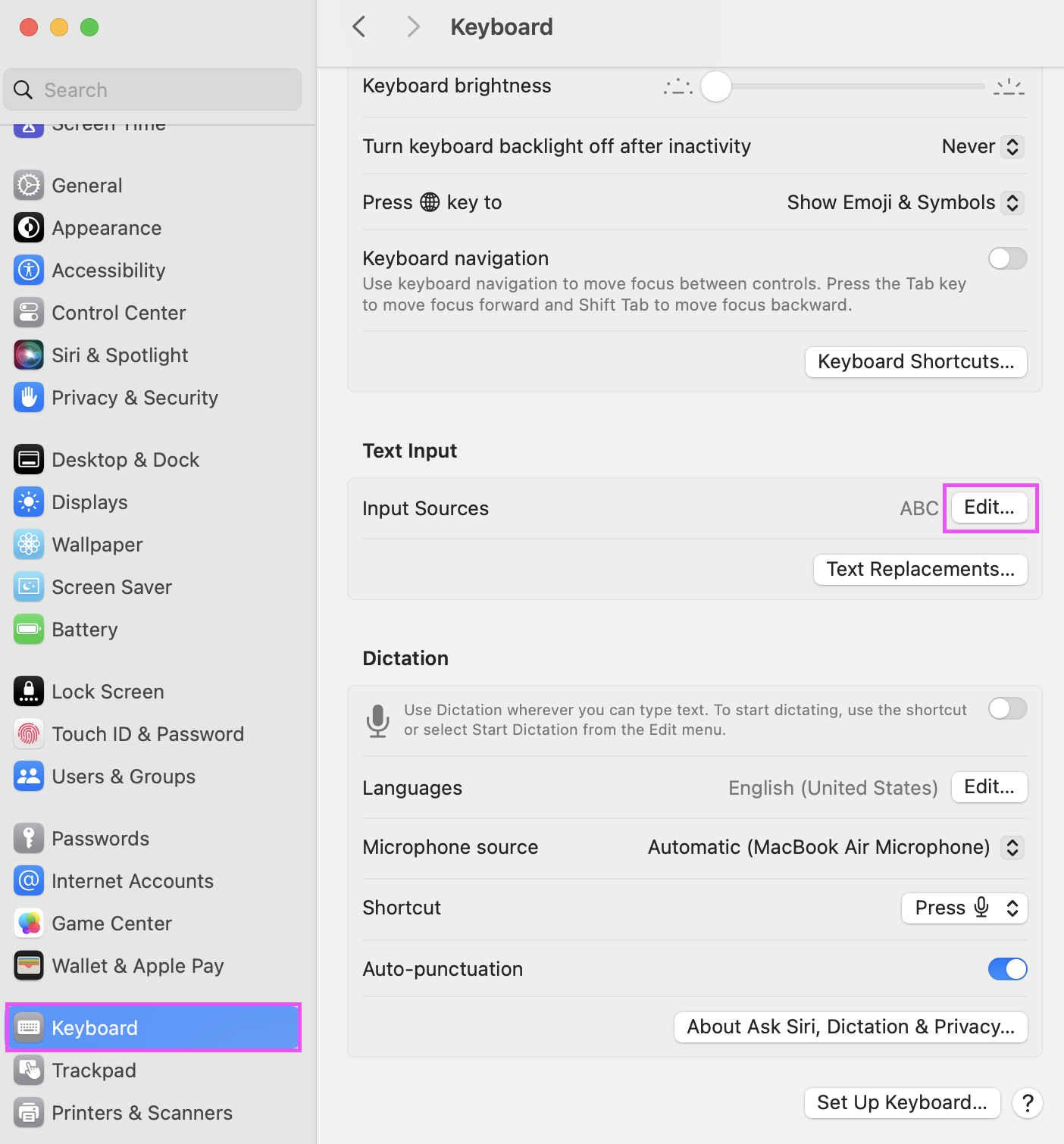
- Click the
+button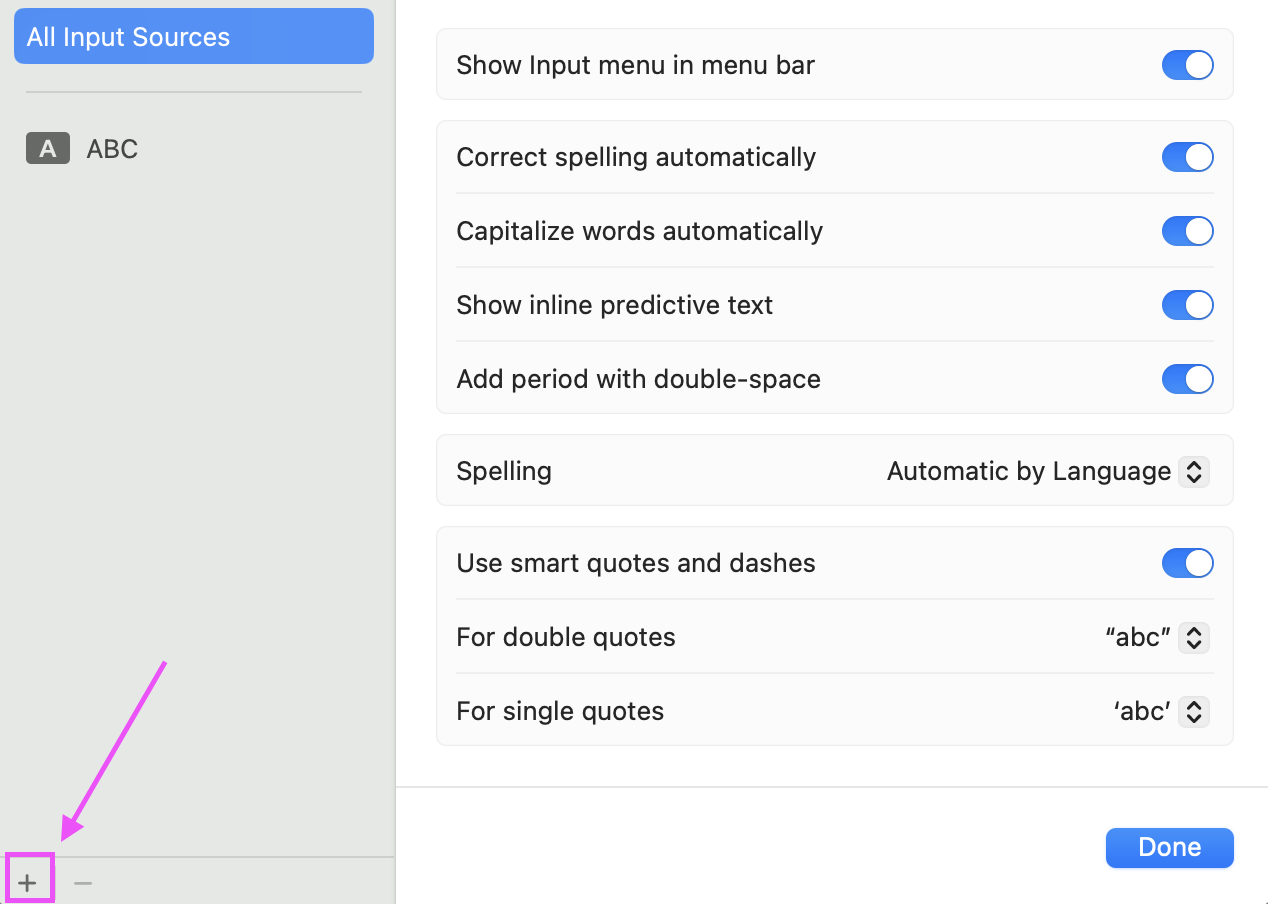
- Add
EurKEYfrom the list of available input sources
- Select
EurKEYas the input method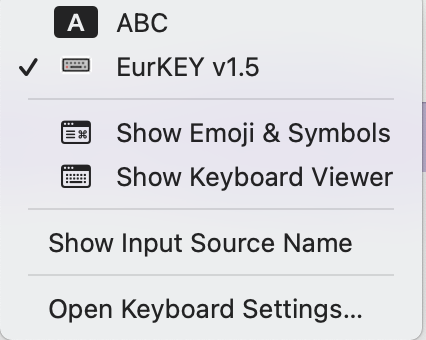


Notes on Ukelele and template icons
I have tried to configure a template icon for the bundle and stumbled onto behaviour that I consider a bug in Ukelele. I tried simply setting a template icon from the GUI using the checkbox, but it never saved it correctly. I had to manually edit *.bundle/Info.plist file and set the flag.
The structure of the Info.plist file is as follows:
<?xml version="1.0" encoding="UTF-8"?>
<!DOCTYPE plist PUBLIC "-//Apple//DTD PLIST 1.0//EN" "http://www.apple.com/DTDs/PropertyList-1.0.dtd">
<plist version="1.0">
<dict>
	<key>CFBundleIdentifier</key>
	<string>de.felixfoertsch.keyboardlayout.EurKEY-macOS</string>
	→ Bundle Identifier

	<key>CFBundleName</key>
	<string>EurKEY-macOS</string>
	→ Filename of the *.bundle file

	<key>CFBundleVersion</key>
	<string></string>
	<key>KLInfo_EurKEY v2.0</key>
	→ Name of the keyboard layout in the collection list

	<dict>
		<key>TICapsLockLanguageSwitchCapable</key>
		<false/>
		<key>TISIconIsTemplate</key>
		<true/>
		→ Set to true to use the icon as a template

		<key>TISInputSourceID</key>
		<string>de.felixfoertsch.keyboardlayout.EurKEY-macOS.eurkeyv2.0</string>
		→ Identifier for the layout within the bundle, spaces are simply removed from the name.
		→ The syntax is: reverse-prefix-notation.BundleIdentifier.LayoutName

		<key>TISIntendedLanguage</key>
		<string>en</string>
	</dict>
</dict>
</plist>
Changelog
v2.0 (WIP)
| Key Combinations | Dead Key Symbol |
|---|---|
| ⌥` | ` |
| ⌥⇧` | ~ |
| ⌥' | ´ |
| ⌥⇧' | ¨ |
| ⌥6 | ^ |
| ⌥⇧6 | ˇ |
| ⌥7 | ˚ |
| ⌥⇧7 | ¯ |
| ⌥m | Ω |
| ⌥⇧m | √ |
| ⌥\ | ¬ |
v1.5
- Configures every key exactly as it is printed on the keyboard (English - International).
- Fixes §-Key.
- Fixes German ẞ-Character ("Großes scharfes S"). Now correctly available via ⌥⇧s.
- Removes distiction between left/right modifier keys.
- Uses the
*.bundleformat to group the layout versions. - Adds new nicer flag icon from upstream.
v1.4
- Switches behaviour of superscript and subscript numbers: The subscript numbers are the default; the superscript numbers are available via
⌥⇧<number>.
Attribution
You can find the original EurKEY layout on Steffen Brüntjens Website. My modified versions are originally based on the work of Leonardo Brondani Schenkel.
License
- The EurKEY Layout is licensed under GPLv3. See: https://eurkey.steffen.bruentjen.eu/license.html.
- The EU flag icon is taken from Iconspedia, created by Alpak and licensed under CC.